How to handle remote buyer enquiries without sharing private documents
Answer remote document requests in stages, preserve useful vehicle evidence and keep unrelated personal information out of shared copies. Includes a blank log.
General guidance. No specialist review is claimed unless named on this page.
Answer the vehicle question first, then decide whether a document is needed. A remote buyer asking when work was done may need an invoice date and scope, rather than the customer's address, payment details and complete file.
On DNF, uploaded documents stay private and contact details are restricted before offer acceptance. Keep early questions on DNF. Do not try to bypass those controls by putting contact information into an image or document.
Use a disclosure ladder
Move to the next stage only when the previous answer does not meet a legitimate vehicle-checking need. These are suggested seller steps, not platform sharing features.
- Clarify the question. Ask which fact the buyer wants to establish and why the requested document would help.
- Answer from the record. Attribute the relevant date or statement accurately and say what the record does not cover.
- Prepare a permitted extract or redacted copy. Check permission, preserve necessary context and explain what was removed.
- Arrange controlled viewing when needed. After contact exchange is permitted, agree how the relevant original can be examined without circulating unnecessary copies.
- Handle transfer documents separately. Ask the relevant registry or DMV which originals and information the transaction requires. A redacted viewing copy does not replace them.
Do not use privacy as a reason to hide a title brand, known damage or an inconsistency. If necessary evidence cannot be shared appropriately, explain that limit and let the buyer decide whether to proceed.
Listed now
Vehicles for sale (1)Make a request log
This original blank log is for your own records. It is not a real buyer conversation or a legal retention schedule.
| Log field | What to record |
|---|---|
| Request | Conversation reference, date and exact vehicle question |
| Proposed evidence | Document reference, issuer, date and relevant section |
| Sharing authority | Who may authorize use and any restriction still unresolved |
| Minimum useful answer | Factual reply, permitted extract, viewing or original needed later |
| Information withheld | Unrelated fields removed and reason, without copying them into the log |
| Delivery decision | Recipient, permitted channel, version and date, or reason for declining |
| Follow-up | Unanswered vehicle question and next action |
For businesses, the FTC's data-security guide recommends keeping only necessary personal information and limiting access. Applying that principle here means considering each request individually. It does not establish which privacy law governs a particular sale.
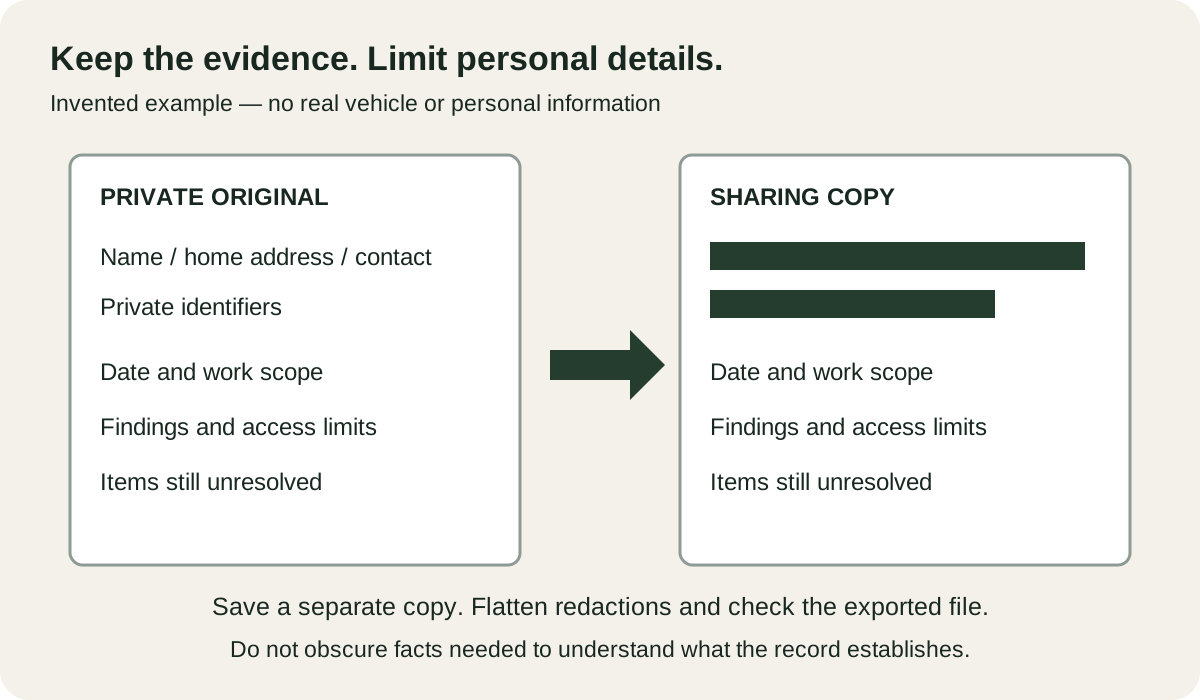
Prepare a redacted copy without changing the evidence
The following is a placeholder model, not an extract from a customer's invoice:
- Original fields: Customer: [name and address]; payment: [account details]; vehicle: [identifier]; work: [itemized scope]; date: [work date].
- Proposed sharing copy: Customer and payment fields: [redacted]; vehicle: [information needed for the agreed match]; work: [unchanged relevant scope]; date: [unchanged work date].
Keep the original untouched. Adobe's PDF guidance distinguishes visible-content redaction from removing hidden information such as metadata. Use the appropriate removal functions for your document format, then check the exported copy, including searchable text and document properties. A visual rectangle alone should not be your test. Ask someone familiar with the format to check it if you cannot establish what remains in the file.
Label an extract with its source and omitted sections. If removing a field prevents the buyer from matching the record to the car, arrange an appropriate private comparison instead of calling the extract complete.
Decline suspicious collection methods
The FTC's phishing guidance describes messages seeking personal or financial information and recommends contacting a company through a known route. Do not enter account credentials or upload identity documents into a buyer-supplied portal just because it uses familiar branding.
A hypothetical reply is: “Please tell me which vehicle fact you need. I can answer from the records or discuss appropriate document viewing when DNF permits contact exchange; I will not upload my identity documents to that link.”
Use DNF's reporting controls for suspicious messages. Review the vehicle inventory to distinguish the information buyers already see from the private material you are being asked to disclose.
If the request is to buy a particular report, use the report-purchase request checks before entering information or paying.
Questions and answers
Should I send an identity document to someone asking about the car?
Start by asking what vehicle fact they need to establish. Do not send an identity-document copy merely to prove that you will answer questions; arrange necessary identity and ownership checks through an appropriate process.
What should a redacted repair-record copy preserve?
Preserve the relevant work description, dates, issuer and enough vehicle context to understand the evidence. Remove unrelated personal or financial details and label the copy as redacted.
Does a DNF document upload make the document visible to a buyer?
No. Uploaded documents stay private. Before offer acceptance, keep questions on DNF; plan any permitted later document viewing separately.
Sources
The pages we relied on, which have the final say. Rules, fees and auction terms change, so check them before you buy, repair, register or resell a vehicle.
- FTC: How To Recognize and Avoid Phishing Scams (consumer.ftc.gov)
- FTC: Protecting Personal Information, scale down and limit access (ftc.gov)
- DNF: Trust and safety, private documents and contact rules (damagednotfinished.com)
- Adobe: About redacting and sanitizing PDFs in Acrobat Pro (helpx.adobe.com)
List it free, or find your next project
List your vehicle free on DNF, with no auction. A success fee applies only if you accept an offer.
- Listed now
- Vehicles for sale (1)